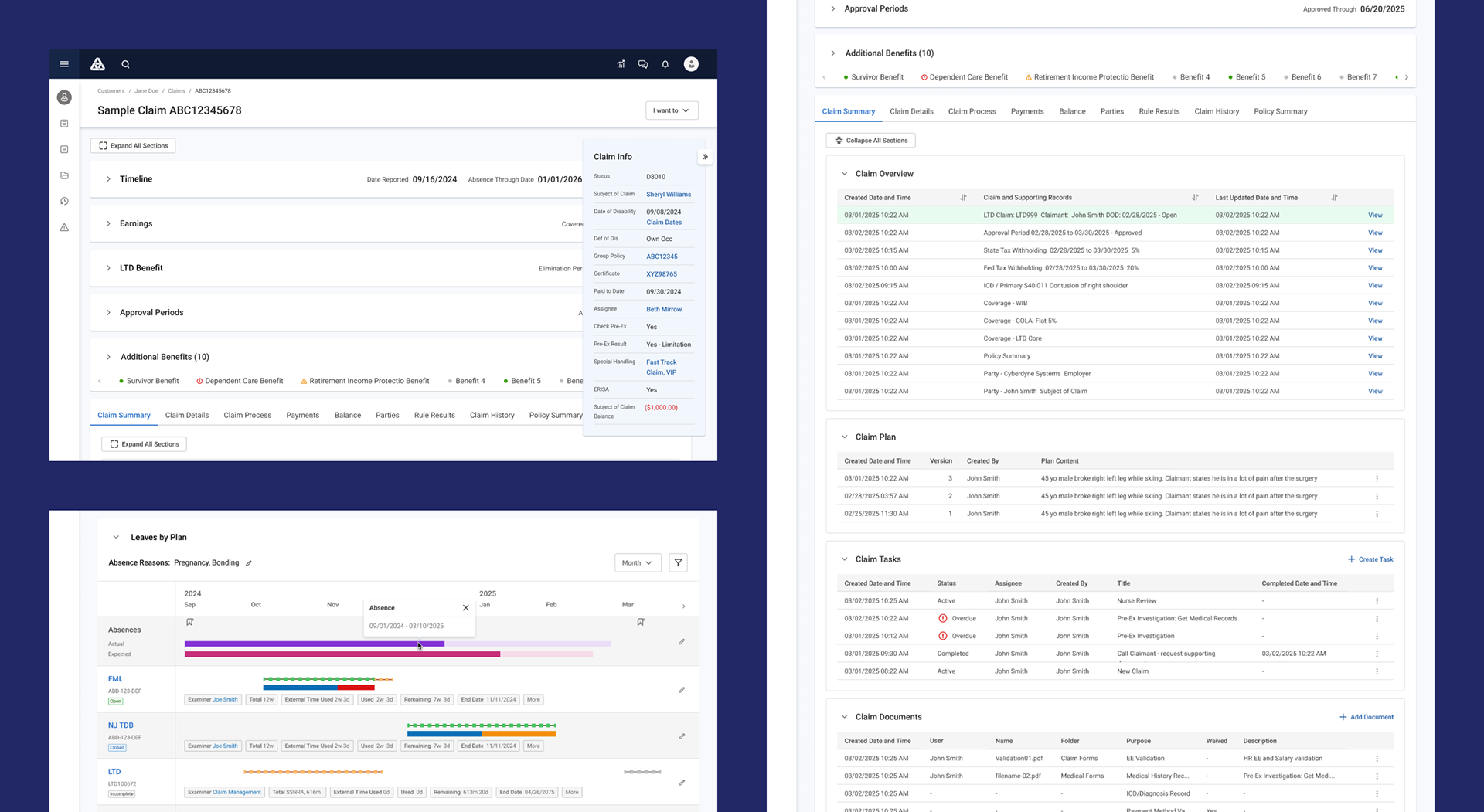
Summary
Project: Redesign Overgrown Features and Data in the Claim Management
Claim Type: Life, Disability, and more.
Users: Claims Adjusters and Customer Service Representative
Duration: 9 Months (Discovery → *Implementation)
My Role: Senior UX Designer — Product Area Lead
Team: Product Manager, 4-6 engineers, 1 designer, business SMEs and Analysts
*As of February 2026, the implementation is still on-going.
Outcomes & Impact
I left EIS Group before the implementation was complete. Therefore, there's no information regarding the post-launch outcomes and impact. All the metrics are from the testings during review phase.
1️⃣ Background & Business Context
The claims management system was a legacy enterprise application used daily by adjusters to process, investigate, and settle insurance claims. Over time, features had been added incrementally without workflow redesign, resulting in:
🚩 Fragmented screens
🚩 Heavy cognitive load
🚩 High training dependency
🚩 Frequent processing errors
🚩 Slow claim resolution times
Leadership’s Business Goals:
• Improve adjuster productivity
• Reorganize data heavy interface
• Lower compliance risk
I was assigned as Senior UX Designer to lead the experience redesign of the end-to-end claim handling workflow.
2️⃣ Problem Definition
We validated issues through support logs, stakeholder interviews, and workflow shadowing. This was both a usability and operational risk problem.
⛓️💥 Workflow Fragmentation
• Adjusters navigated across 6–9 screens per claim
• Critical claim data scattered
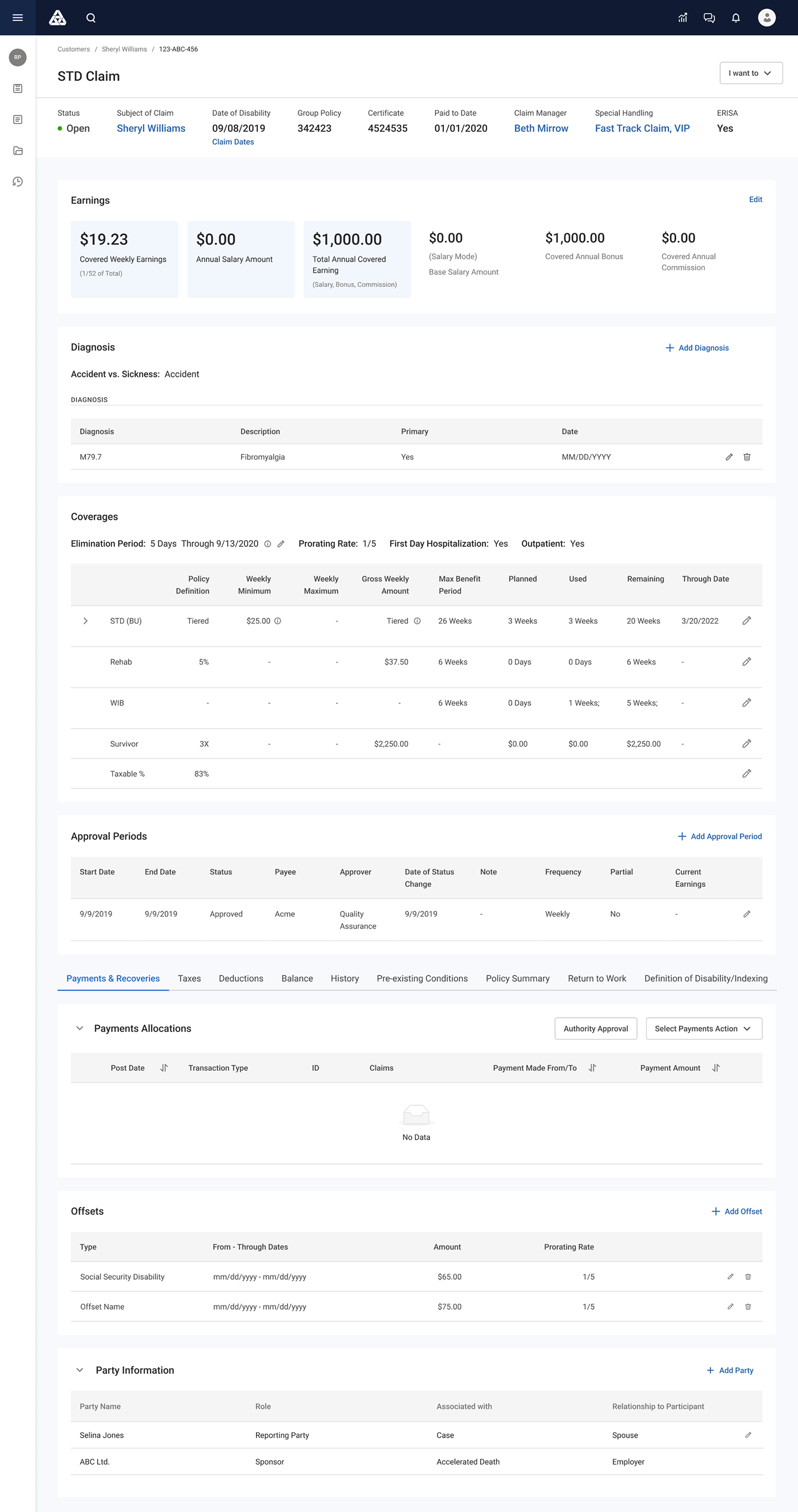
Claim Detail
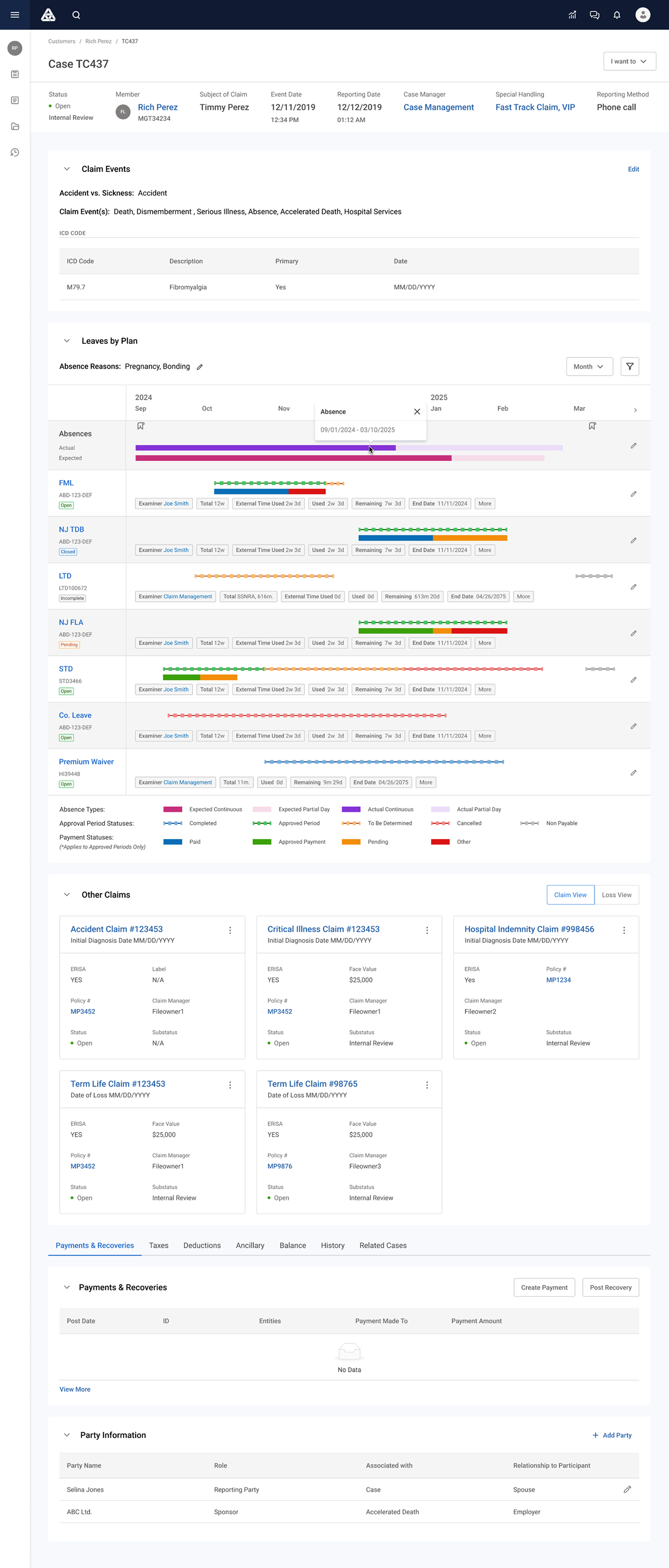
Case Detail
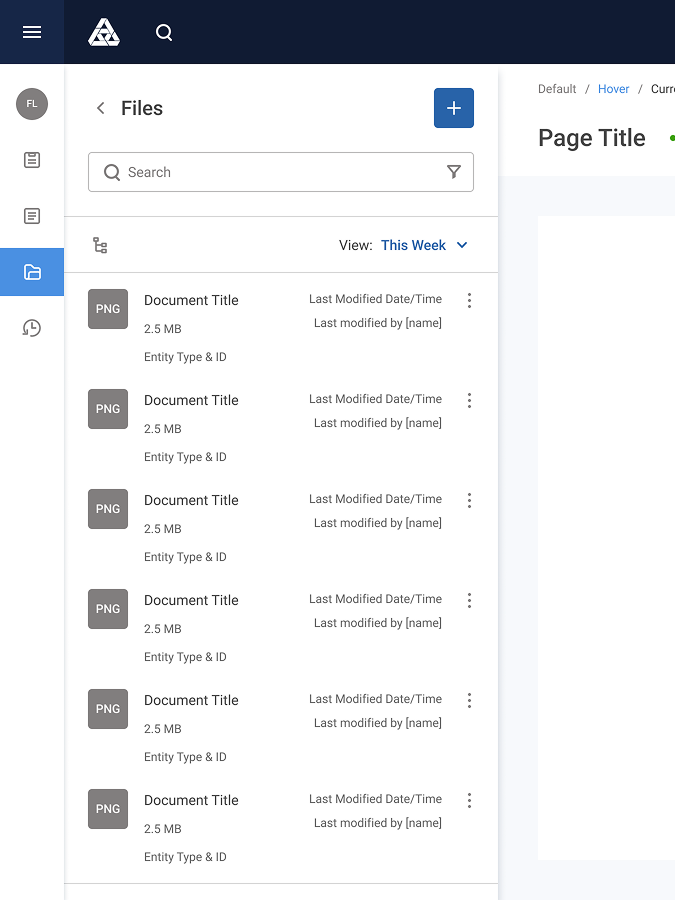
Side Panel
As seen in the above screenshots, key data was spread out in different UIs: some in Claim detail page, some in Case entity, and yet others (such as documents, tasks, etc.) in side panel.
🤯 Cognitive Overload
• Page header and info card with dense data taking up too much space
• Too many data-heavy content containers on the claim detail screen
⛔ Error Risk
• Validation rules unclear
• Required steps easily missed
3️⃣ My Responsibilities
I led UX across the claims workflow redesign:
• Discovery research leadership
• Workflow mapping
• Information architecture redesign
• Interaction model definition
• Prototype validation
• Stakeholder design reviews
• Developer collaboration & design QA
4️⃣ Discovery & Research
I conducted a mixed-method discovery phase.
Methods
• Adjuster workflow shadowing (multiple sessions)
• SME interviews (claims + compliance)
• Screen audit of legacy system
• Task time measurement studies
Key Findings
👉 Critical decisions lacked contextual data. Users opened multiple tabs to gather needed info.
👉 Adjusters think in claim narratives — not system modules. The system forced process order, but adjusters worked situationally.
5️⃣ Experience Principles
I facilitated a cross-functional workshop to define guiding principles. These principles anchored design decisions and stakeholder alignment.
• Claim-centric, not module-centric
• Context before action
• Progressive disclosure for complexity
• Error prevention over error correction
6️⃣ redesign
Out of several problem areas we have identified, the claims team prioritized the following as key issues to tackle first.
🛠️ Header and Info Card Improvement
I've designed and tested several solutions to optimize displaying ever growing list of key data. Ultimately, SMEs and Product Manager decided to go with Ver 2.
(*As of February 2026, the implementation is in progress.)
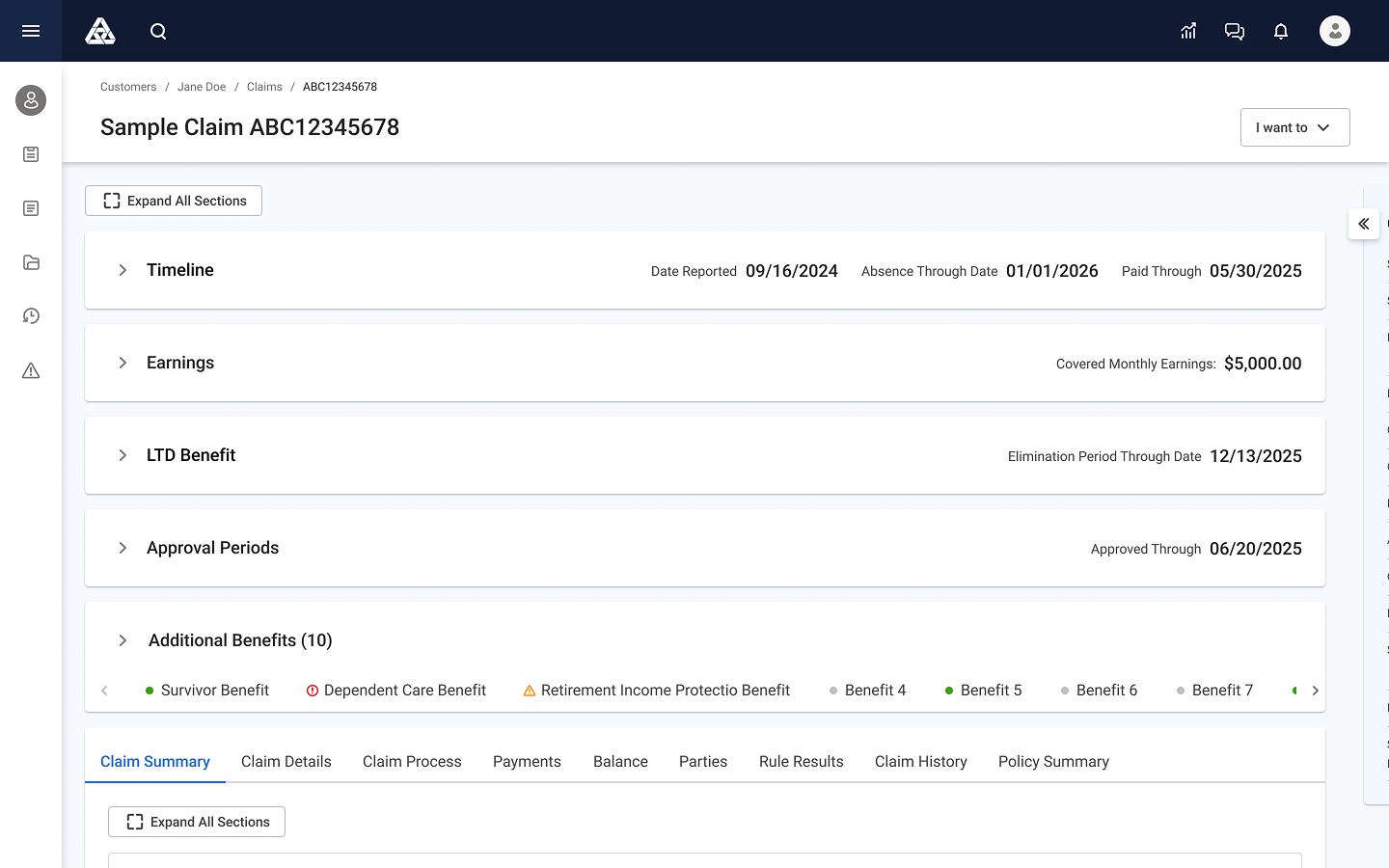
Ver01-Closed
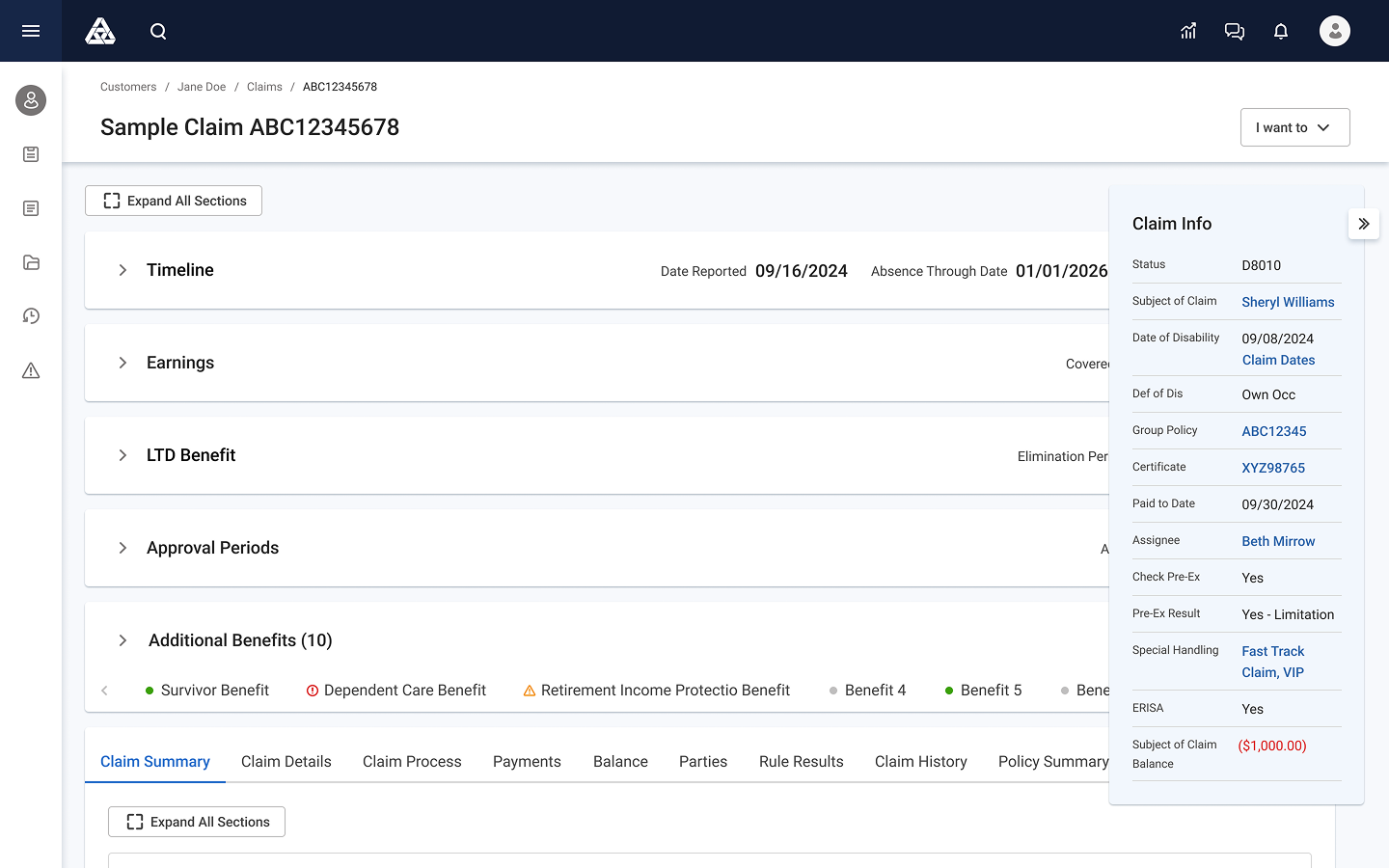
Ver01-Open
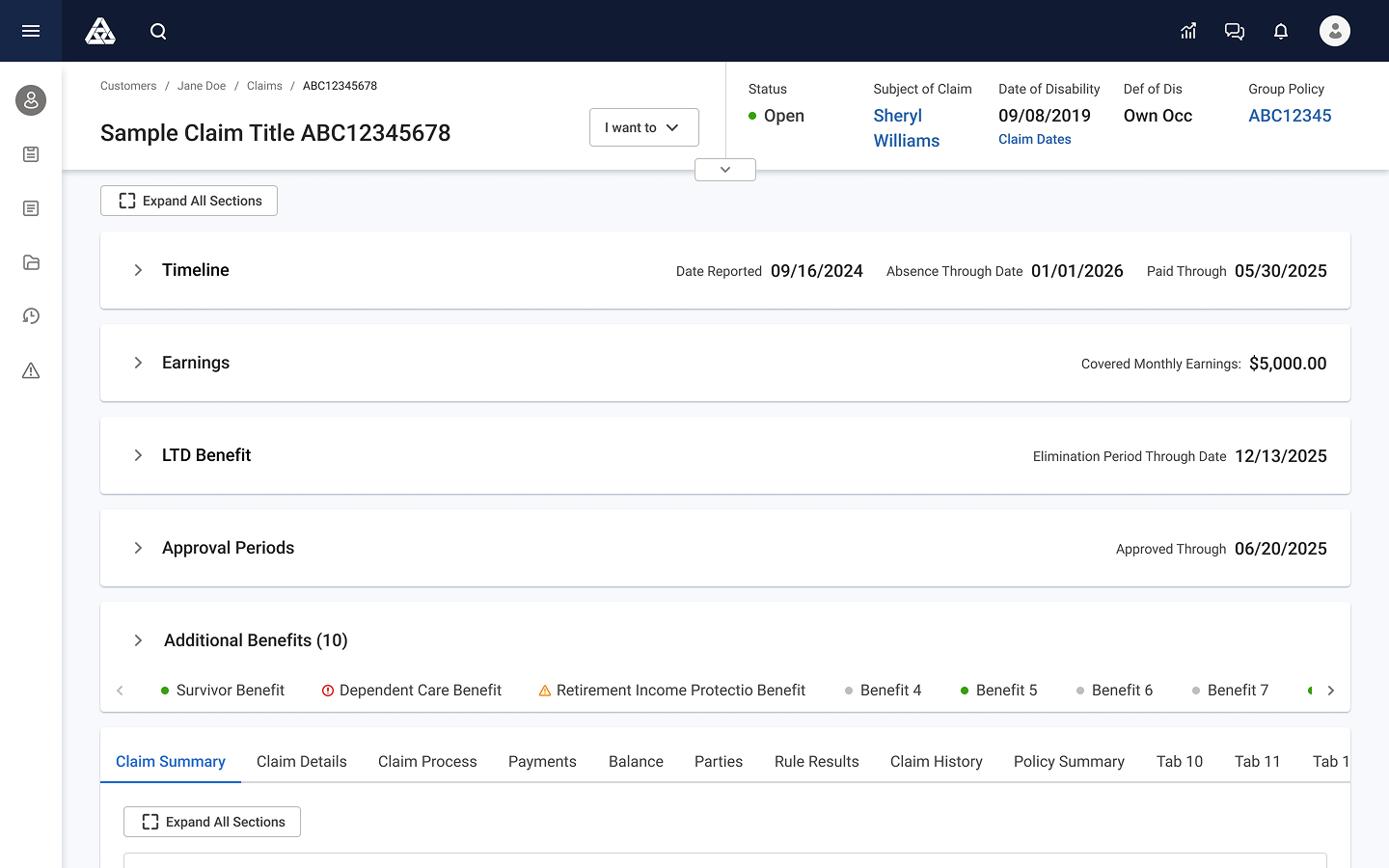
Ver02-Closed
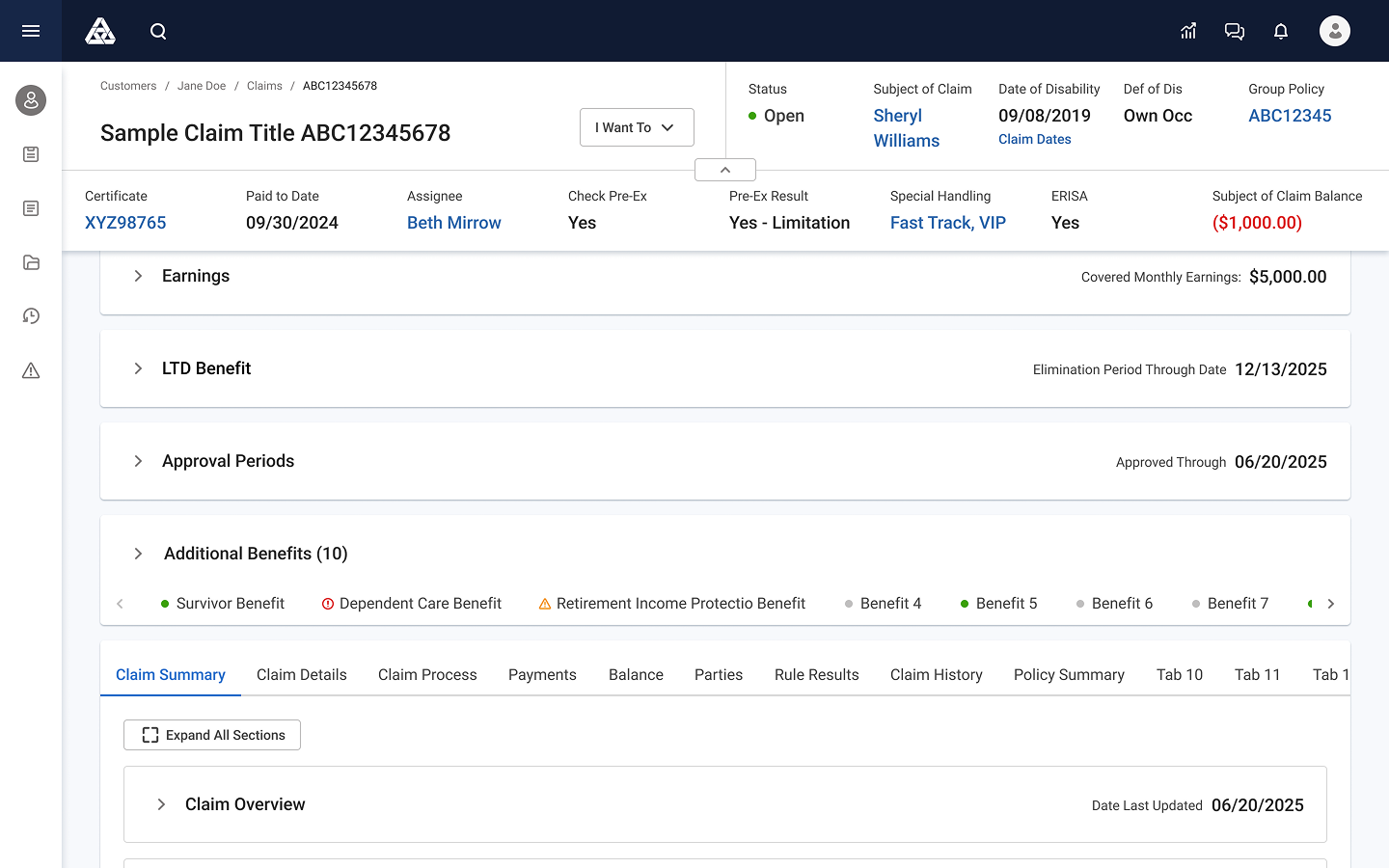
Ver02-Open
🗄️ Overall Reorganization of the Data
Single claim workspace with structured zones/containers. All of them are collapsible/expandable.
• Claim summary
• Timeline (Leaves by Plan)
• Tasks
• Documents & evidence
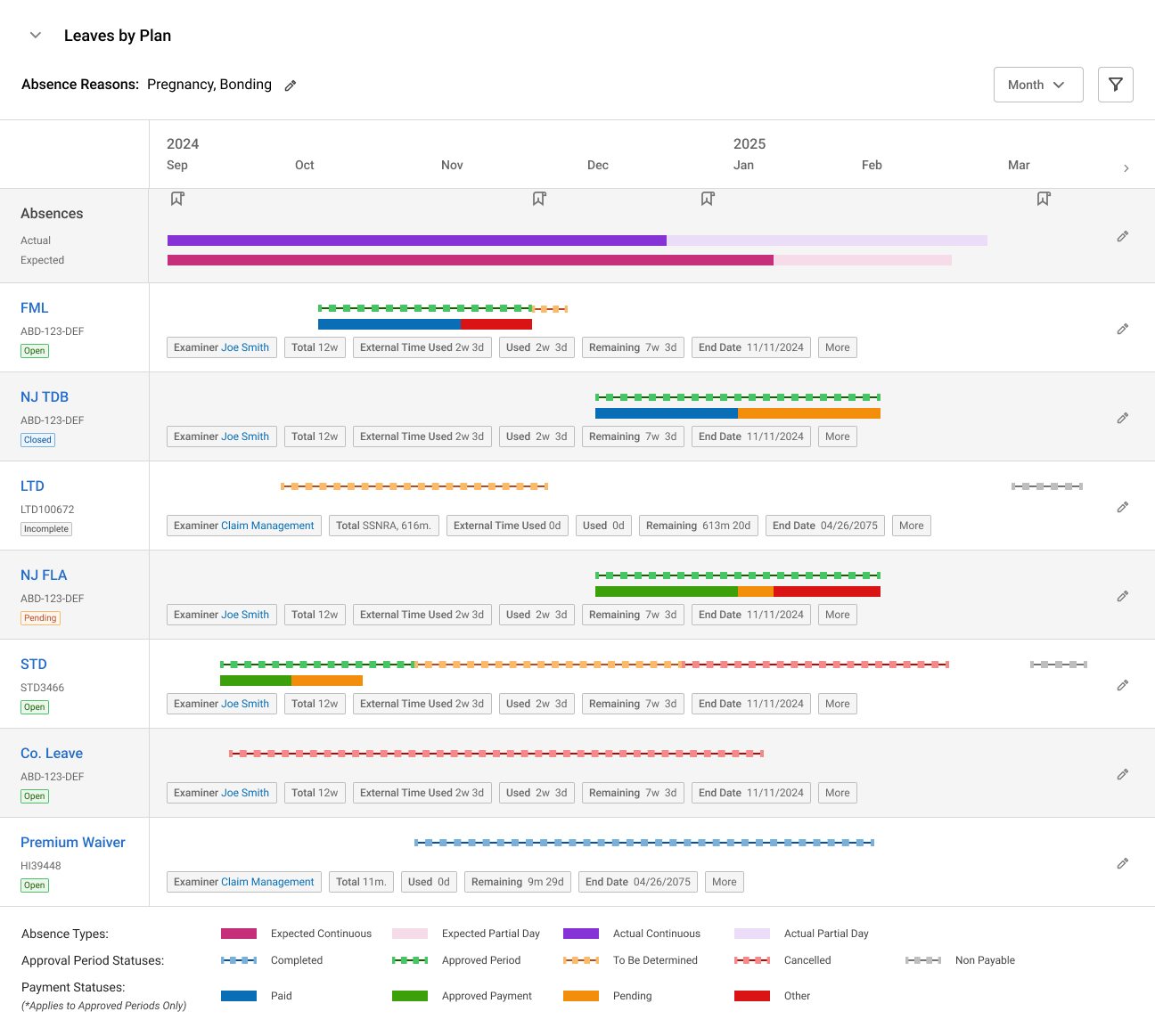
Leaves by Plan 01
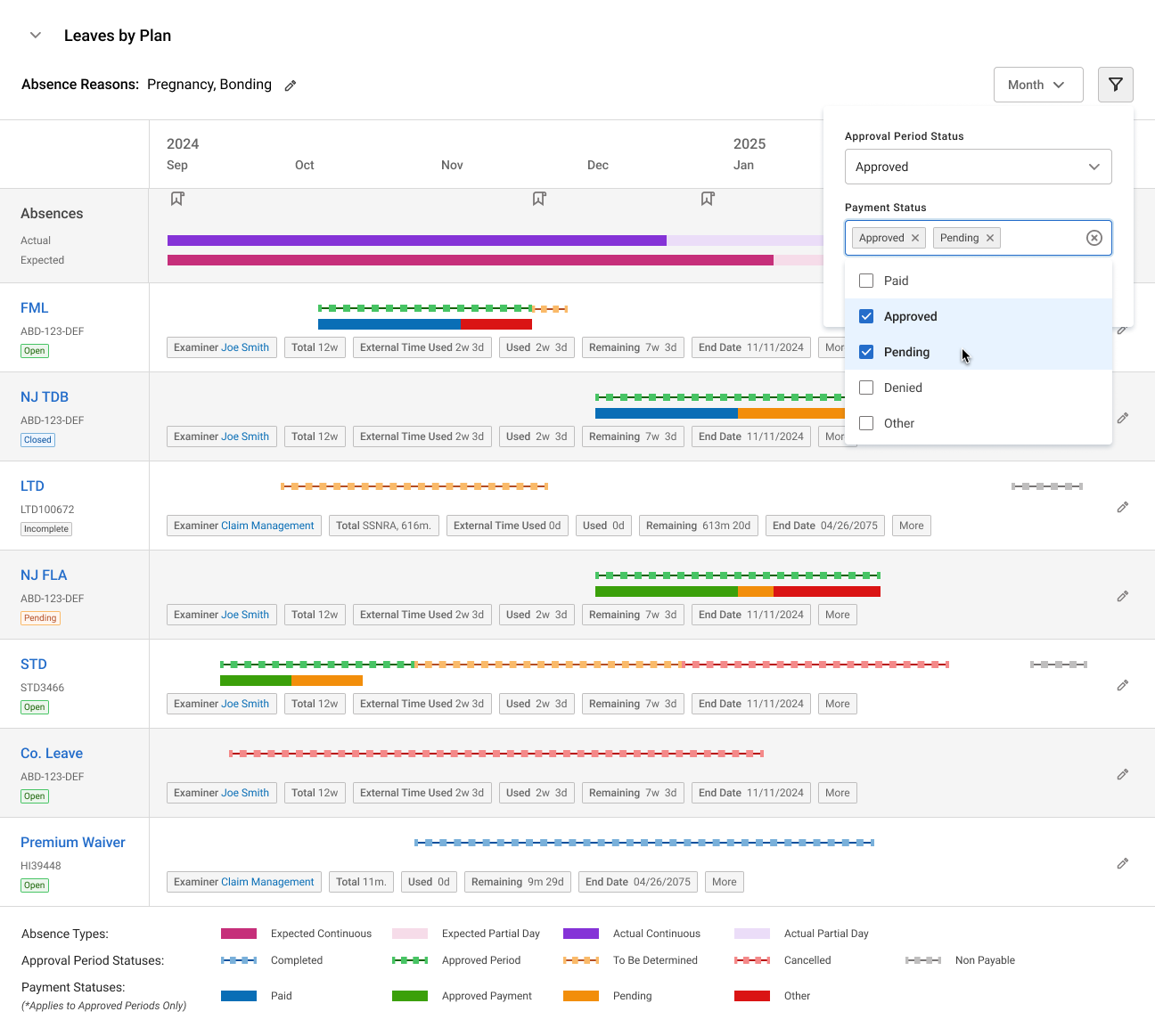
Leaves by Plan 02 (Filter On)
Timeline container was added to the Claim UI (previously only available in the Case UI)
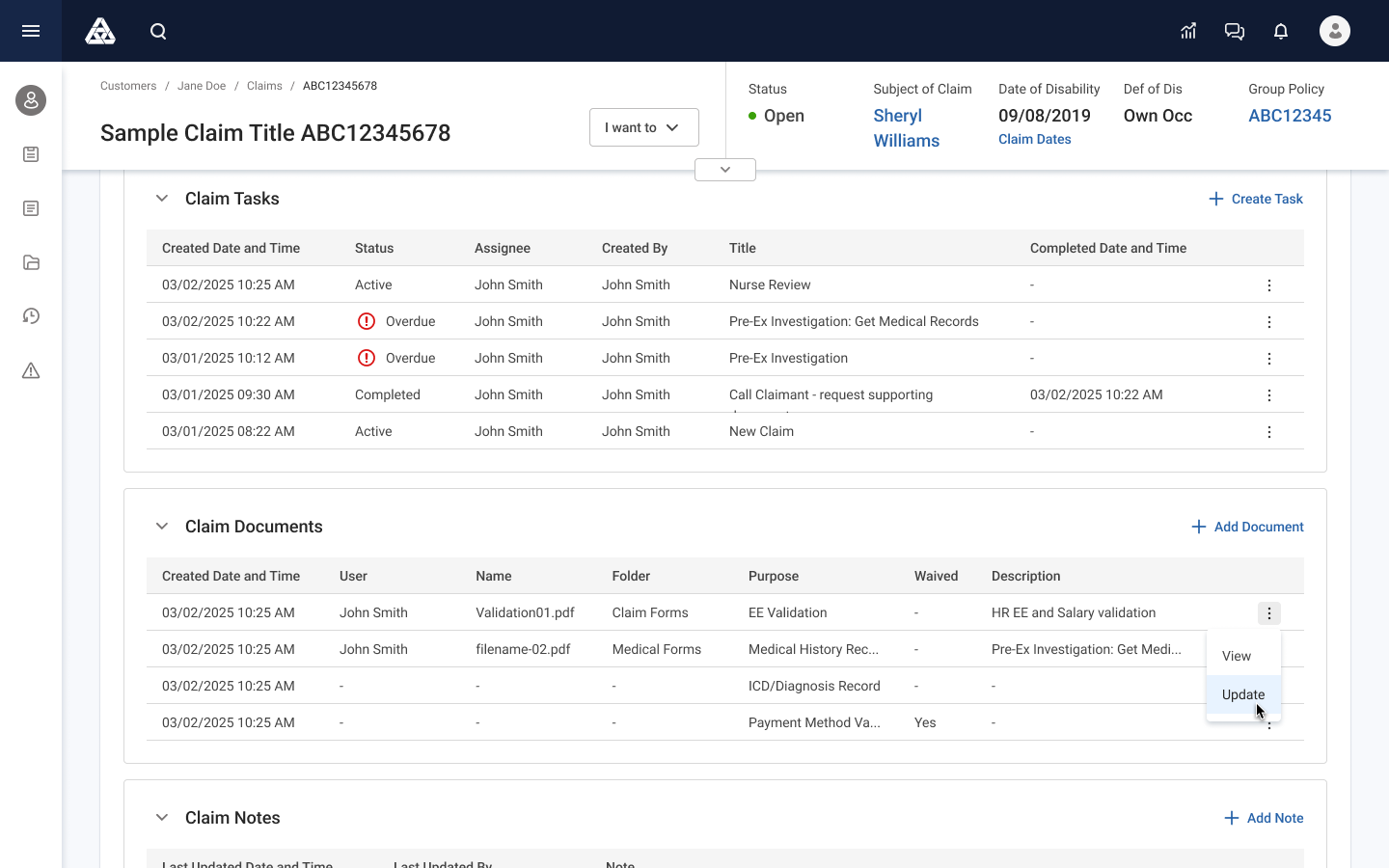
Documents
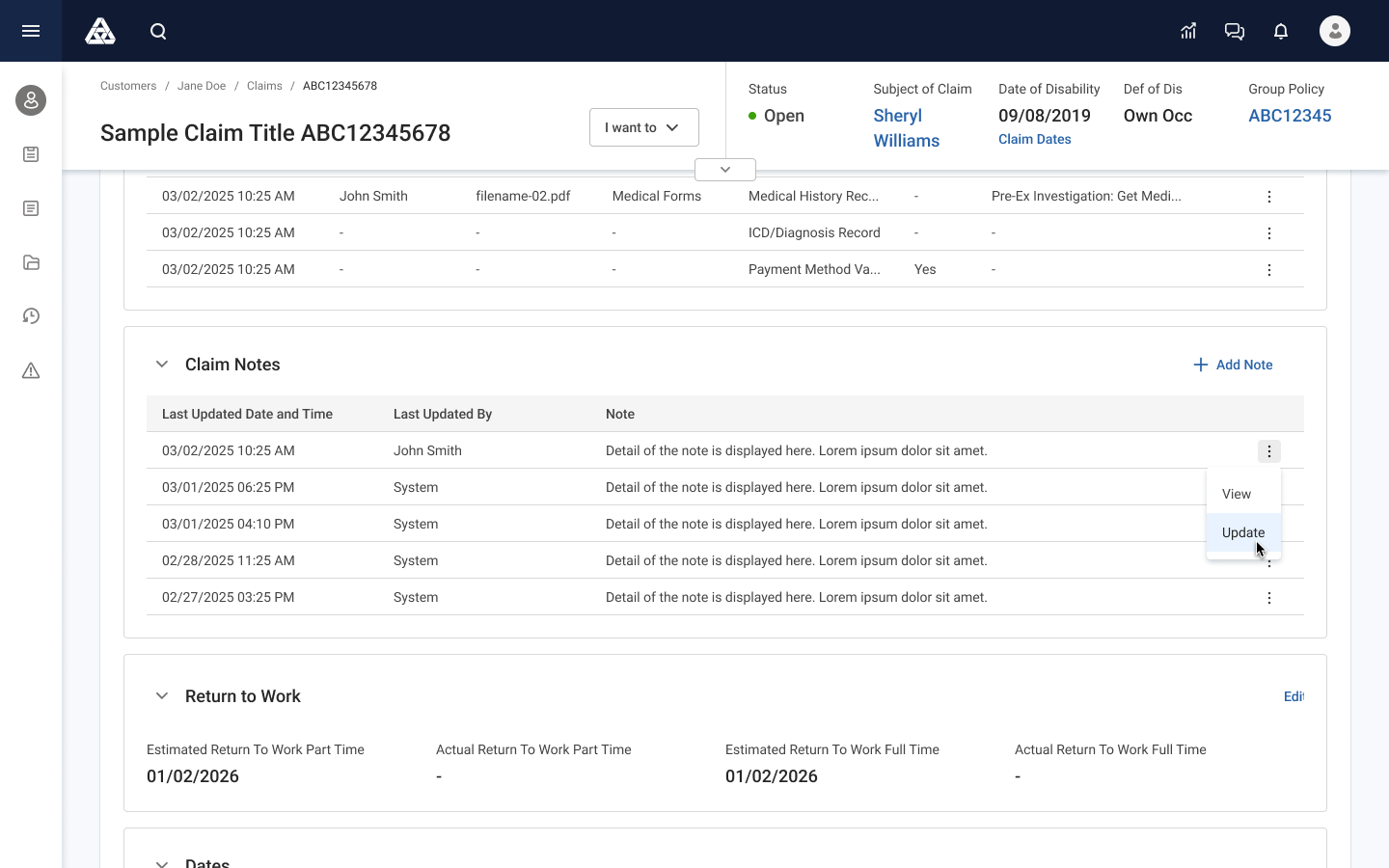
Notes
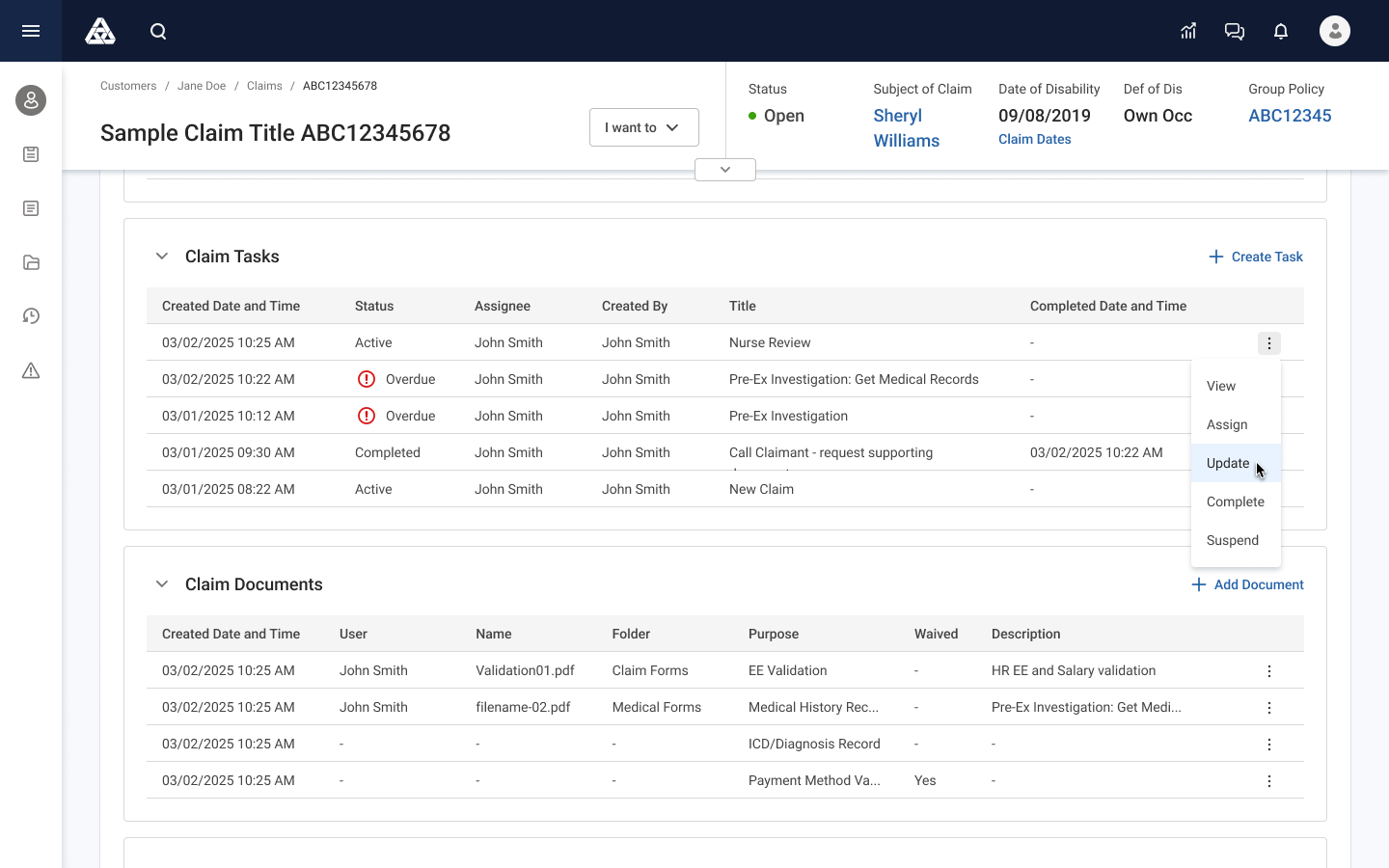
Tasks
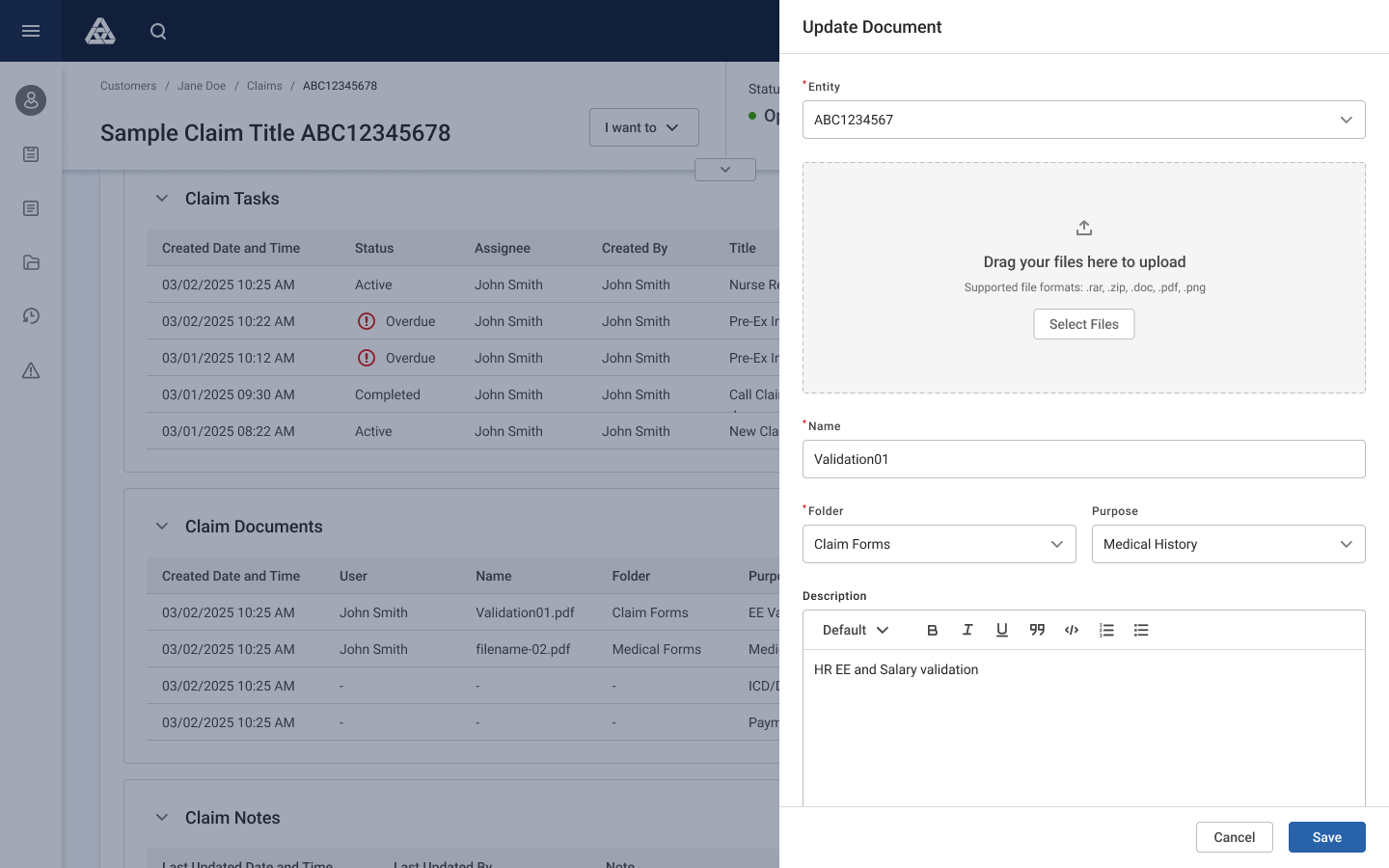
Document Drawer
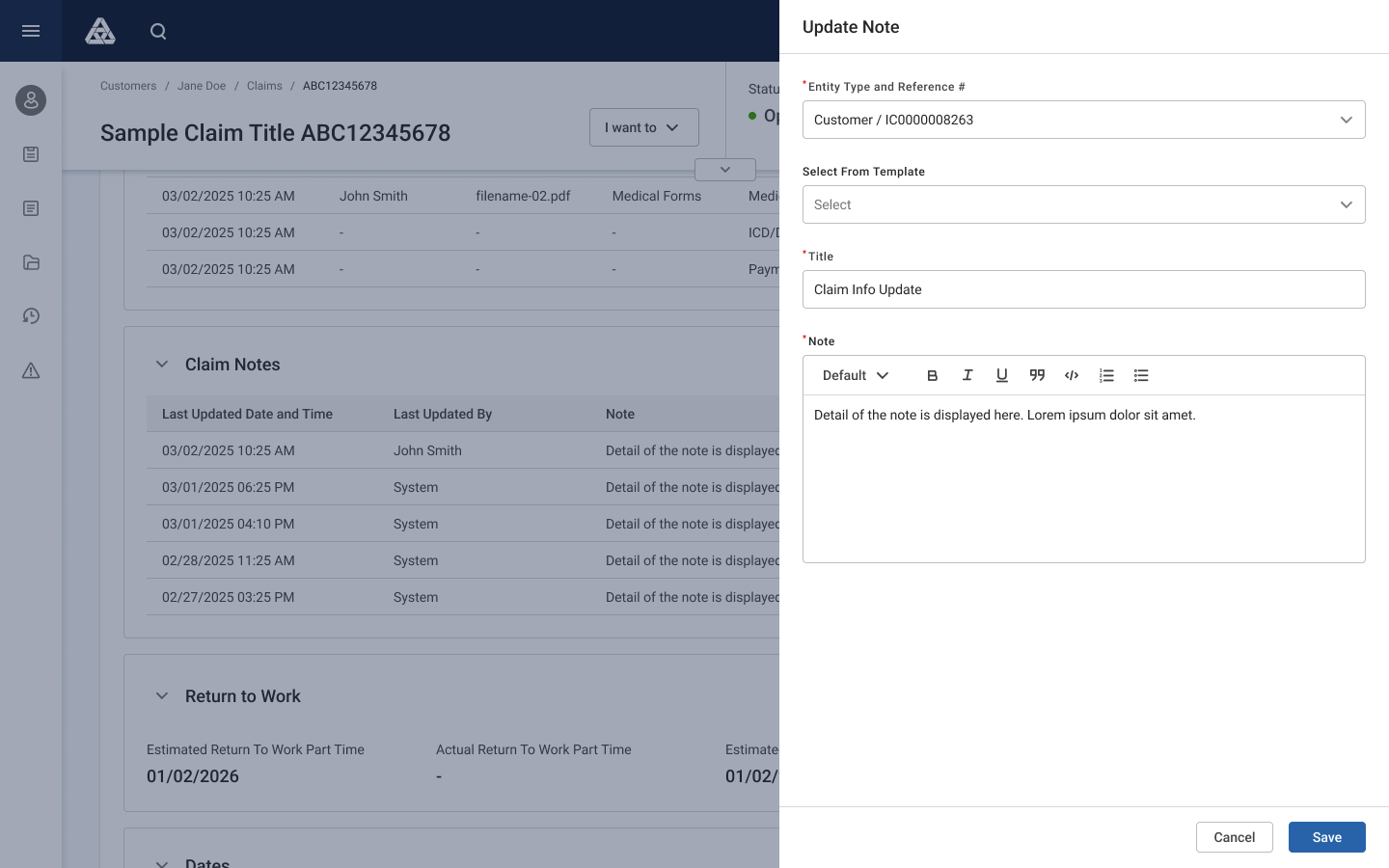
Notes Drawer
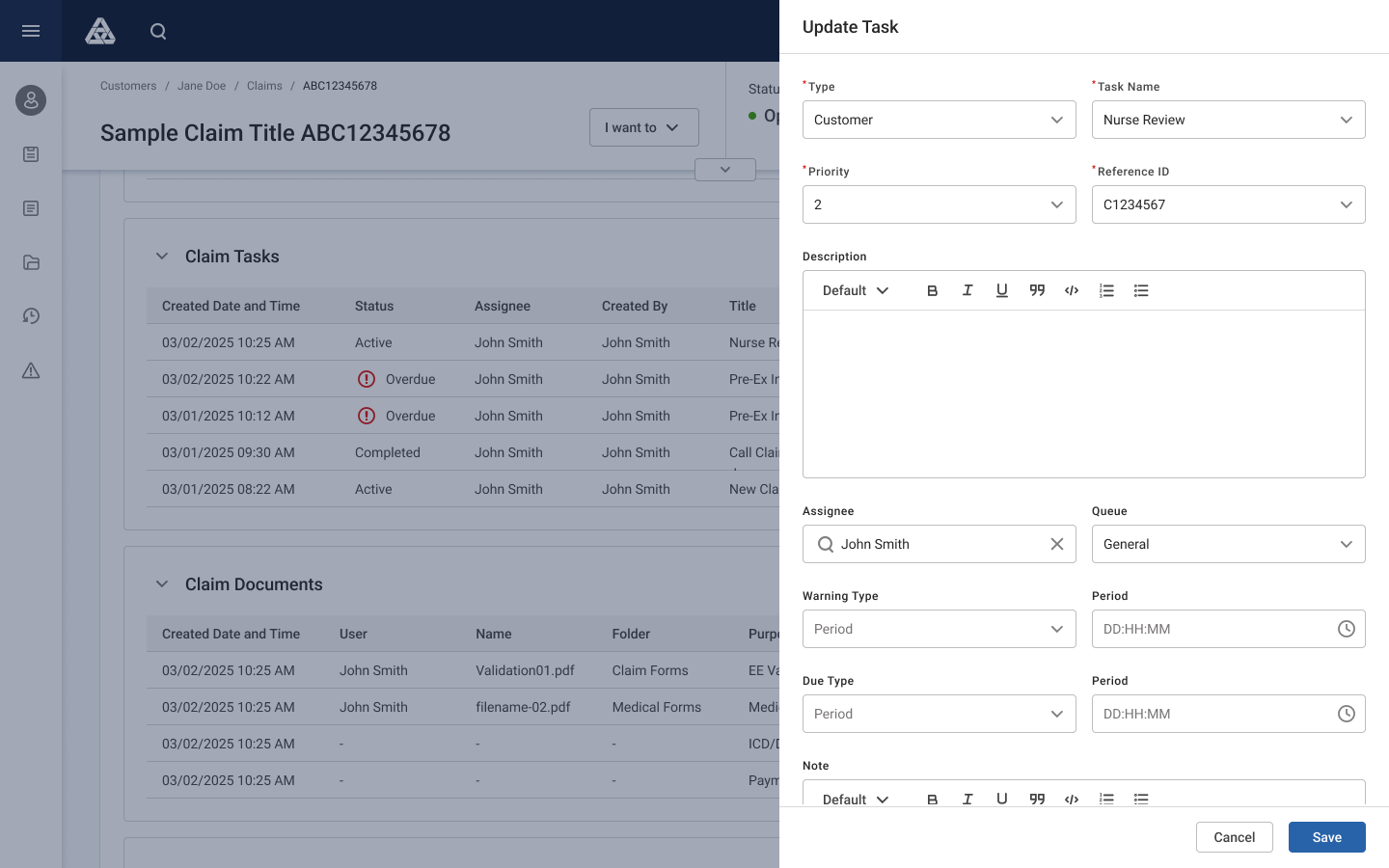
Task Drawer
Tasks, Notes, and Documents workspaces have been added to the Claim UI eliminating users' need to jump between several screens to collect necessary data and take actions.
7️⃣ Cross-Functional Collaboration
This project required deep collaboration 🤝 with various team members. Especially, SMEs and Business Analysts' input was critical.
I facilitated:
• Workflow mapping workshops
• Adjuster validation reviews
• Engineering feasibility reviews
• Supervisor prototype walkthroughs
8️⃣ ongoing Testing
We ran scenario-based usability testing with team members. In the future, it would be more beneficial to test with real adjusters. We iterated several times before build.
Measured:
• Task completion time
• Navigation errors
• Missed compliance steps
• Confidence ratings
🧪 Results vs legacy:
• 31% faster investigation tasks
• 40% fewer missed required fields/actions
9️⃣ Implementation Support
Senior-level contribution from other product teams (Claims, UI Infrastructure, Platform teams):
• Wrote interaction specs
• Created edge-case behavior rules
• Partnered on dev component design
• Reviewed builds weekly
• Ran UX QA sessions
• Updated patterns based on constraints
🔟 Lessons and Improvements
🧑🏫 What I've learned:
• Enterprise users value context more than speed
• Compliance should be embedded, not appended
• Exception visibility is critical for supervisors
• Workflow alignment requires SME partnership
• Scenario testing beats generic usability tests
🔮 What I would improve in the future:
• Test with real adjusters and other professionals
• Instrument workflow step tracking
• Build reusable workflow components sooner